
Managing Commercial Flooring Inventory Efficiently
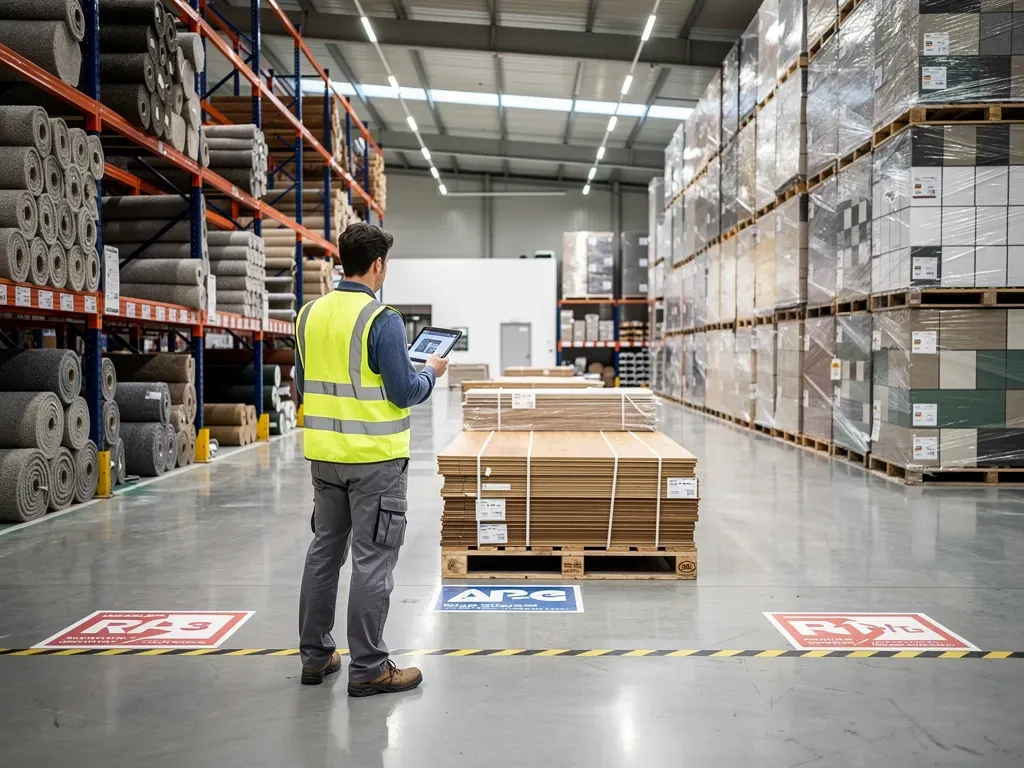
Commercial flooring inventory management demands real-time visibility across warehouse and showroom. Comp-U-Floor ERP delivers cloud-based tracking accessible from any device, eliminating manual pallet inspections. Contractors view exact stock levels instantly, reducing material shortages and over-ordering. The integrated system connects warehouse operations directly to sales orders, saving time and preventing costly inventory headaches for high-volume flooring businesses.
Key Takeaways
-
Real-time cloud tracking eliminates manual pallet inspections and provides exact stock levels from any device.
-
Roll-level control assigns each roll a dye lot and logs every cut against its parent record.
-
Partial shipments require logging each warehouse-to-job-site transfer as a distinct transaction for accurate allocations.
-
Unrecorded cuts erode yardage counts and force costly reorders, so every issue must reconcile remaining stock.
What is commercial flooring inventory management?
Commercial flooring inventory management tracks carpet, tile, wood, stone, and laminate stock across warehouses and job sites. Comp-U-Floor builds multi-store point-of-sale and inventory functions for ceramic tile, stone, wood, laminate, and carpet retailers and distributors. The discipline covers every roll, pallet, and dye lot from receipt to installation.
Manual spreadsheets break down at volume. Specialized warehouse flooring software replaces them with real-time inventory valuation and stock checks. That visibility removes the guesswork of knowing what sits in a warehouse and prevents overselling stock or supplies. For teams running high-volume jobs, the cost of that guesswork lands in missed deadlines and rushed reorders.
How does cloud access change daily inventory work?
Cloud-based systems let supervisors view and manage inventory from any device, anywhere. A warehouse lead can confirm stock without walking every pallet. Remote access keeps showroom and warehouse teams working from the same numbers.
What does bulk material management require?
Bulk material management demands control over individual rolls, dye lots, and cuts. Accurate tracking of commercial flooring inventory ties each cut to a specific job. Teams that skip this step lose square-yardage visibility and absorb the cost as waste. Carpet-specific controls, including roll and dye lot tracking, close that gap.
-
Record every receipt against a purchase order.
-
Assign each roll a dye lot and location.
-
Log every cut and its destination job.
-
Reconcile stock counts against open sales orders.

Why is bulk material management critical for flooring contractors?
Bulk material management protects a flooring contractor from the most expensive error in the trade: selling stock the warehouse does not hold. Accurate, real-time visibility into warehouse quantities prevents overselling stock and supplies, which keeps commitments to clients honest and protects project margins.
The stakes are practical. A contractor who cannot see true stock levels discovers shortages at the job site, not at the desk. That gap stalls crews, forces rush orders, and erodes the trust a commercial client extends on a multi-phase installation.
How does real-time inventory visibility prevent overselling?
Real-time inventory valuation and stock checks remove the guesswork from knowing what sits in the warehouse. Flooring teams see current quantities instead of relying on stale counts or manual tallies. When the count is accurate, the sales desk quotes from fact rather than assumption.
How should a contractor track partial shipments to the job site?
Partial shipments are routine on large installations, and unrecorded ones corrupt the inventory record. Follow this sequence to keep allocations correct:
-
Record each cut or pull against the specific roll or lot before it leaves the warehouse.
-
Log the partial shipment from warehouse to job site as a distinct transaction.
-
Reconcile the remaining balance against the open sales order.
-
Confirm the job allocation before the next delivery departs.
Warehouse flooring software that tracks partial shipments keeps every allocation visible from dispatch to installation. For stone fabricators and other heavy material handlers, integrated purchasing and inventory modules carry features built for that workflow. Strong bulk material management turns commercial flooring inventory from a guess into a verified record.

How does warehouse flooring software track rolls and dye lots?
Warehouse flooring software tracks rolls and dye lots by assigning each roll a unique record and logging every cut against it. This roll-level control replaces manual tally sheets with a searchable digital ledger. Contractors who skip this step lose track of dye-lot matches and absorb the cost of reordered material.
Warehouse flooring software built for roll goods treats each roll as a distinct inventory unit. The system records the dye lot attached to every roll, so crews pull matching material for a single job. Each cut made against a roll is recorded at the point of issue. That record preserves the remaining yardage and prevents a short roll from reaching the installation site.
How does the system break down total square yards by roll?
The software converts a total square-yard figure into a breakdown across one or several individual rolls. A job requiring a set yardage maps to specific rolls rather than a single pooled quantity. This breakdown gives warehouse supervisors a precise view of which rolls cover a job and which remain available.
What happens to non-roll materials stored for a job?
Bulk material management extends beyond roll goods. The system tracks other materials purchased for a job but held in the warehouse until needed on site. Partial shipments stay visible in the same record, so nothing sits uncounted in a bay.
A practical workflow follows a consistent sequence:
-
Receive the roll and record its dye lot.
-
Log each cut against the parent roll.
-
Reconcile remaining yardage after every issue.
-
Track non-roll job materials and partial shipments until release.
Accurate commercial flooring inventory depends on this discipline. Every unrecorded cut erodes the yardage count and invites a costly reorder.
What steps transition from spreadsheets to ERP inventory workflows?
Transitioning from spreadsheets to a dedicated ERP system transforms commercial flooring inventory control. The process replaces error-prone manual tracking with automated, real-time visibility across every warehouse location.
What should a business evaluate before selecting flooring ERP software?
A thorough needs assessment identifies which features are essential. Common requirements include inventory management, job scheduling, and invoicing capabilities. Operations managers must separate must-have functionality from non-essential add-ons before comparing platforms.
-
Assess operational requirements. Define the specific features the business needs. Inventory management, job scheduling, installation management, and invoicing rank among the most common priorities for flooring contractors. This step prevents investment in tools that do not solve core workflow problems.
-
Implement a unified cloud-based ERP. Deploy a platform that consolidates estimating, purchasing, and inventory into a single system. Comp-U-Floor unifies these functions with warehouse management, scheduling, and full accounting. A centralized database eliminates duplicate data entry between departments.
-
Digitize warehouse receiving and stock checks. Activate barcode-driven warehouse flooring software support to replace manual counts. Wireless barcode scanning captures receipts instantly and updates stock levels in real time. This automation removes the guesswork from bulk material management and prevents costly oversights.
-
Generate and share detailed project reports. Use the system to produce job estimates and progress updates for clients. Comp-U-Floor creates detailed estimates, job details, and progress reports that build customer trust through transparency. Shared documentation keeps stakeholders informed without extra administrative effort.
How does barcode scanning improve warehouse accuracy?
Barcode scanning captures material receipts and movements with precision. The system updates inventory valuations immediately, eliminating lag between physical stock and digital records. A warehouse management portal further automates order fulfillment and reduces overstock risks.
How to avoid common mistakes in flooring inventory management?
Preventing costly errors in commercial flooring inventory starts with replacing manual stock checks with real-time visibility. Contractors who skip this step risk overselling materials they do not actually have on hand.
This visibility prevents overselling stock or supplies, a failure that delays installations and damages client trust. Operations managers should verify that their warehouse flooring software refreshes stock counts continuously rather than on a nightly batch.
Should flooring teams consolidate data in one system?
Consolidating customer and material data in a single ERP platform eliminates the gaps that separate tools create. Comp-U-Floor consolidates customer and material data into one centralized platform while connecting smoothly with key industry partner systems. Fragmented systems invite duplicate entries and mismatched records.
How should partial shipments and remnants be tracked?
Bulk material management depends on tracking partial shipments and remnant control. The Roll Inventory module records partial shipments made from the warehouse to the job, which prevents material loss between locations. Follow these steps to close the gap:
-
Record every roll and dye lot at the point of receipt.
-
Log each partial shipment as it leaves the warehouse.
-
Reconcile remnant totals against job records weekly.
Each step keeps material accountable from warehouse to job site.
FAQ
What does commercial flooring inventory management track?
It tracks carpet, tile, wood, stone, and laminate stock across warehouses and job sites, covering every roll, pallet, and dye lot from receipt to installation.
How does Comp-U-Floor ERP eliminate manual pallet inspections?
It delivers cloud-based tracking accessible from any device, providing exact stock levels instantly and removing the need for manual pallet inspections.
Why does bulk material management require logging every cut?
Logging every cut against its parent roll and destination job prevents losing square-yardage visibility and avoids costly waste from unrecorded cuts.
Conclusion
Commercial flooring inventory management demands the discipline to track every roll, cut, and partial shipment from warehouse to job site. Replacing spreadsheets with a unified ERP system eliminates manual errors and provides real-time visibility across all stock. Operations managers who implement barcode scanning and centralized data gain precise control over dye lots and remnants, preventing costly reorders and protecting client trust.
Research & Sources
This guide draws on documented capabilities of the Comp-U-Floor ERP platform, the operational data behind the workflows described above:
-
Wireless barcode tracking: Materials are barcoded from the moment a purchase order is received through warehousing and shipping, letting teams assign bin locations, track inventory movement, fulfill sales orders, receive purchase orders, and take physical inventory in real time.
-
Dye-lot and roll-level visibility: The Comp-U-Floor Dealer Portal’s Inventory Stock Inquiry system displays real-time warehouse stock by item style, color, and roll or lot, with dye lots included automatically, so staff can verify material availability before confirming a job.
-
Continuous, cycle-driven accuracy: The platform updates inventory records as transactions occur rather than relying on periodic manual correction, reducing the risk of overselling limited-run or dye-lot-specific stock.
-
Multi-location support: A point-of-sale design keeps inventory data synchronized across ceramic tile, stone, wood, laminate, and carpet businesses operating from several warehouses at once.
These capabilities reflect the same roll tracking, dye lot management, and real-time visibility principles outlined in this guide.